

Navigator Pro™
Frequently asked questions
Navigator Pro
Navigator Pro™ is RapidAI’s advanced radiology solution that brings the power of deep clinical AI directly into the radiologist’s existing workflow. It integrates AI-driven worklist prioritization, reporting, visualization, and communication into a unified experience—streamlining the radiologist’s process from read to report with full clinical oversight.
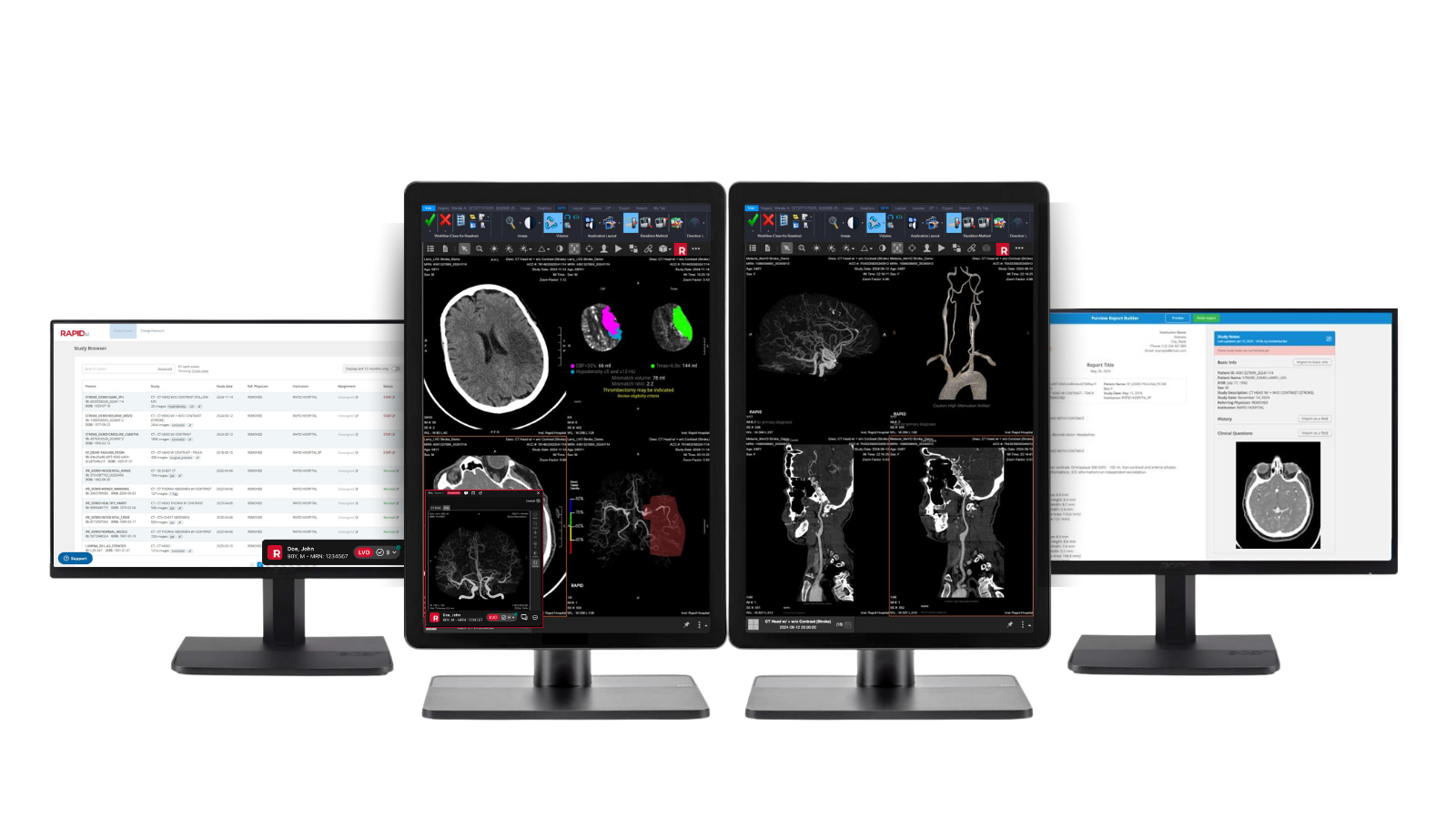
Navigator Pro includes AI functionality in the following areas:
- Worklist prioritization
- AI Orchestrator
- Clinical solutions
(e.g., stroke, aneurysm modules) - Automated report generation
What is worklist prioritization?
What are the benefits of AI-driven worklist prioritization?
How does it work?
When a suspected finding is identified, Rapid communicates with the RIS, PACS, or Worklist Provider via DICOM, HL7, or a custom API.
- DICOM: Rapid transfers the resulting DICOM images to the PACS. The PACS can then use this transfer, along with the series description from the images, to prioritize its reading worklist.
- HL7: Rapid communication includes patient identification and source data information in the HL7 message, along with the suspected positive finding. The RIS, PACS, or Worklist Provider will prioritize its reading worklist upon receiving the Rapid result.
- Custom API: The Rapid platform can communicate results using established standards such as HTTP, JSON, etc.
What vendors does it work with?
What is AI Orchestrator?
AI Orchestrator is a read-assist tool that allows users the option to preview AI findings, provide feedback, and confirm results before images are sent to PACS and results to the reporting system. If deeper imaging review is needed, users can launch the full Rapid clinical solution for further investigation or to adjust thresholds.
Integrated into the workflow as a standalone side panel, AI Orchestrator also enables messaging and consults with the care team, without disrupting the core imaging or reporting systems.
What are the benefits of using AI Orchestrator in the radiology workflow?
- Optimizes physician workflow and reduces the time to read a study
- Improves diagnostic confidence; especially when fatigued and/or for incidental findings
- Reduces physician burnout and increases team collaboration
- Mitigates liability when AI results are sent to PACS as Secondary Capture images, thereby becoming part of the patient record
What PACS Workstation vendors does it work with?
What are clinical solutions?
Rapid clinical solutions are disease-specific modules that can be seamlessly integrated with the entire enterprise platform to allow:
- Aid in detection of subtle, yet critical findings
- Advanced and interactive visualization of imaging to further explore a case
- Longitudinal tracking with automated measurements
- Modification of AI results and/or measurements
- Updated thresholds and settings before reprocessing of a case
What are the benefits of clinical solutions in the radiology workflow?
Our integrated clinical solutions transform radiology workflows by:
- Elevating diagnostic precision by showing characterization, quantification, and visualization of anomalies directly within native workflows. This fosters greater diagnostic confidence and supports more informed decision-making
- Boosting operational efficiency with quicker reads and automation of tedious tasks like 3D reformats
- Providing the ability to edit results the radiologist disagrees with before pushing to PACS and the reporting system
- Decreasing costs associated with outsourcing of advanced visualization
What kind of clinical solutions are available?
What PACS Workstation vendors does it work with?
What is auto report generation?
What are the benefits of auto report generation?
- Helps reduce time to report the exam by auto populating measurements and findings
- Mitigates manual reporting errors and standardizes reports
- Reduces physician burnout by automating tedious tasks